Edit IP Address of RG 120e Ethernet Port
- Former user (Deleted)
Owned by Former user (Deleted)
Last updated: Oct 13, 2016
- To set the Ethernet properties, click on the "Ethernet 0" object
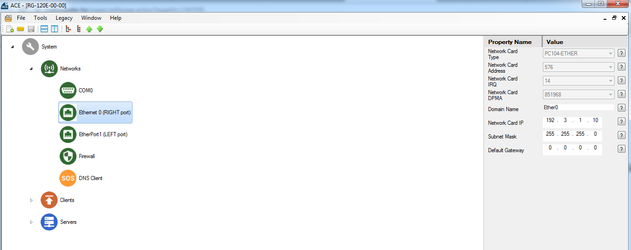
Set the Network Card IP, Subnet Mask, and Default Gateway appropriately for the network that you are using with the RediGate, leaving the other options default as shown below
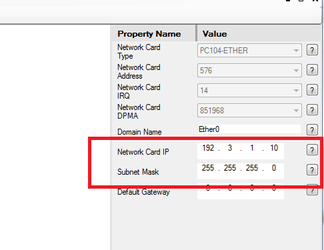
DHCP
If you would like your Ethernet port to obtain its address via DHCP, enter 0.0.0.0 for the Network Card IP, Subnet Mask, and Default Gateway
- Save your settings and upload the configuration to your device
, multiple selections available,